Share Sheet Extension
Magimail ships with a native macOS Share Sheet extension, enabling you to draft emails and attach files from anywhere in the operating system without switching apps first.
Sharing Files from Finder
Section titled “Sharing Files from Finder”To email documents, archives, or images directly from Finder:
- Right-click any file (or select multiple files) in Finder.
- Select Share → Magimail.
- Magimail instantly opens a compose draft with your selected files attached.
- Choose your sending account (or let Magimail use your active account), enter your recipient, and send. Multiple Accounts covers the account list.
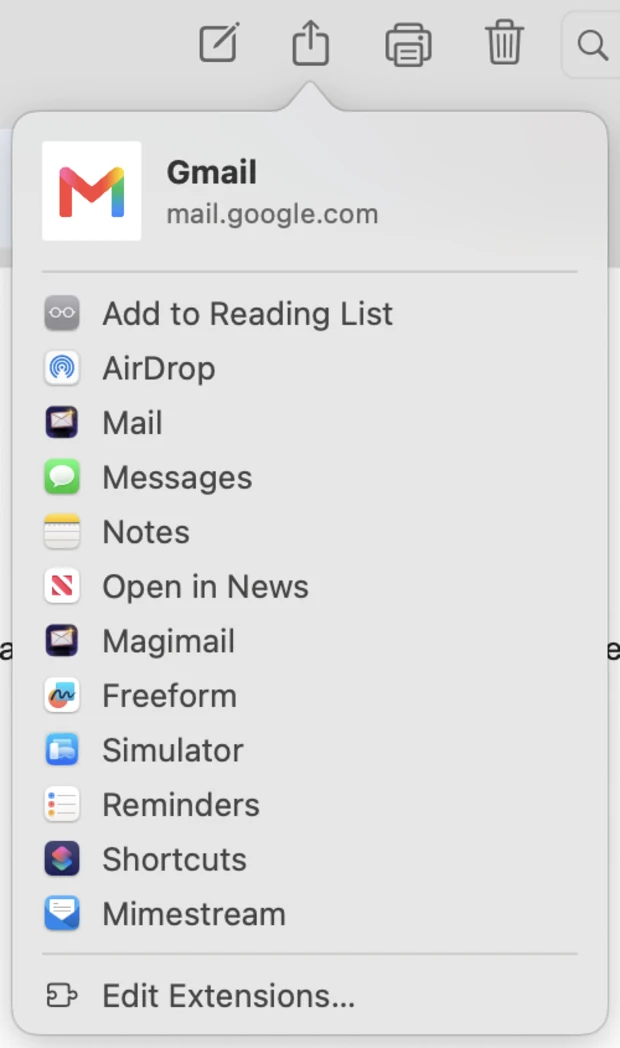
Sharing Web Links from Safari
Section titled “Sharing Web Links from Safari”When browsing in Safari or any other macOS browser:
- Click the system Share button in the browser toolbar (or choose File → Share).
- Select Magimail.
- Magimail creates a new draft pre-populated with the web page title in the subject line and the URL in the email body.
Sharing Content Out of Magimail
Section titled “Sharing Content Out of Magimail”You can also send email content out of Magimail into other apps:
- In the Magimail toolbar or the File menu, click Share.
- Share thread links or excerpts directly to Apple Notes, Reminders, or Messages.
- Select the Print button dropdown in the toolbar (or press ⌘P) and choose Export as PDF… to save a clean, formatted PDF archive of the email conversation.