Magical · Open source for macOS

Put a spell on your calendar.

Google Calendar is not an afterthought. Magical is built on the same foundations as Magimail, but with extra features to help you manage your day.

macOS 14 or later · Apple silicon only

A flip-page desk calendar showing August 31, standing on its ring binders

What makes it a Mac app

No more loading your browser just to quickly check when that meeting is. Magical gives you quick access to all your accounts, meetings and invitations.

Every account, properly isolated

Every account keeps its own sign-in. No signing out, no switching, no wondering which schedule you are looking at.

  • Each account carries its own colour, on its tab, in the menu bar and on its notifications.
  • Switch with ⌘1 and ⌘2, or click its tab.
  • Accounts in the background keep schedules in sync, so alerts and widgets stay accurate.
  • Your desktop shows through the sidebar the way it does in Calendar and Finder, in light and dark alike.
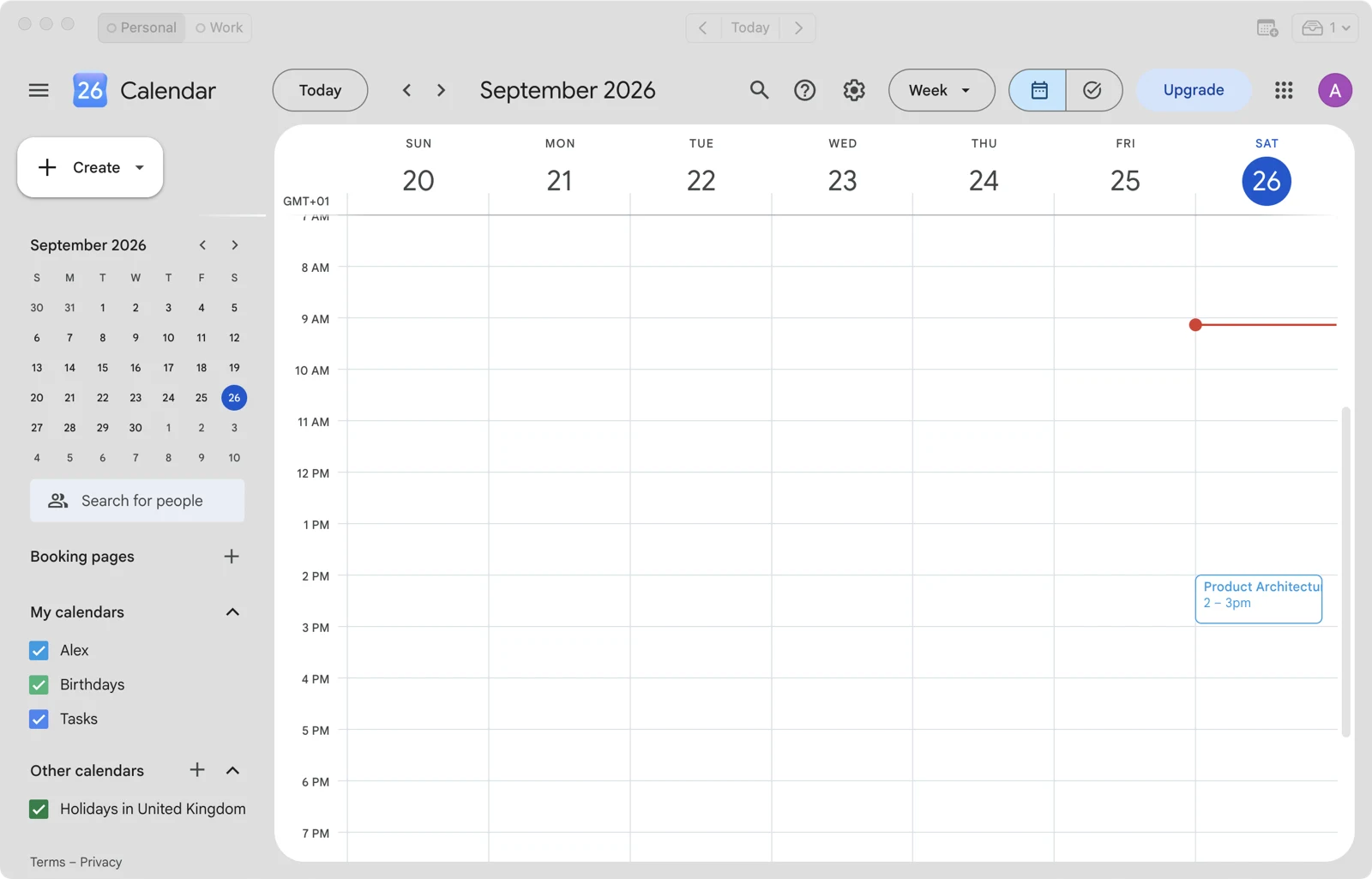
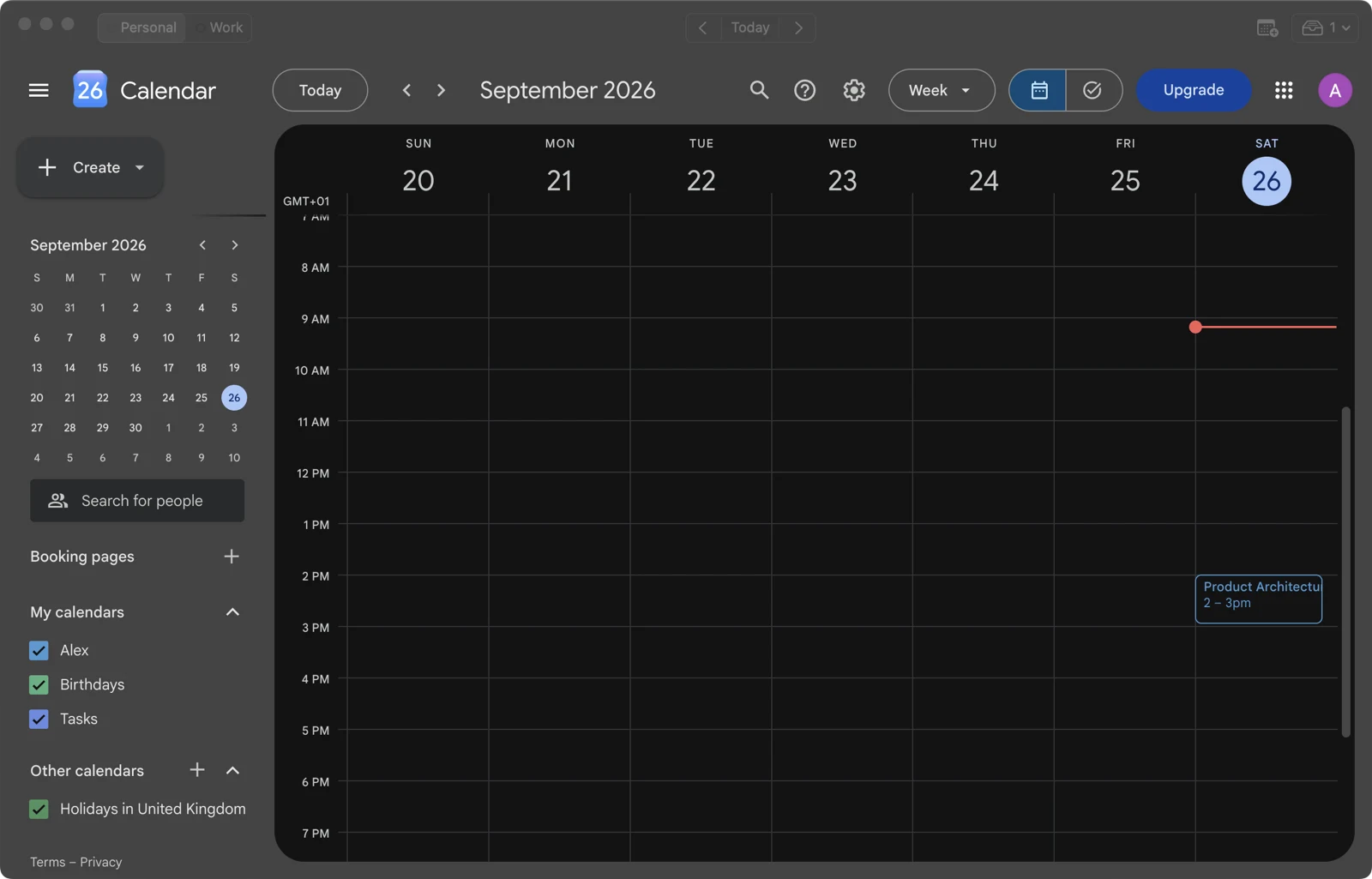
The Magical window in light mode, with Personal and Work tabs in the toolbar and a week calendar view below The same window in dark mode

A mini calendar in the menu bar

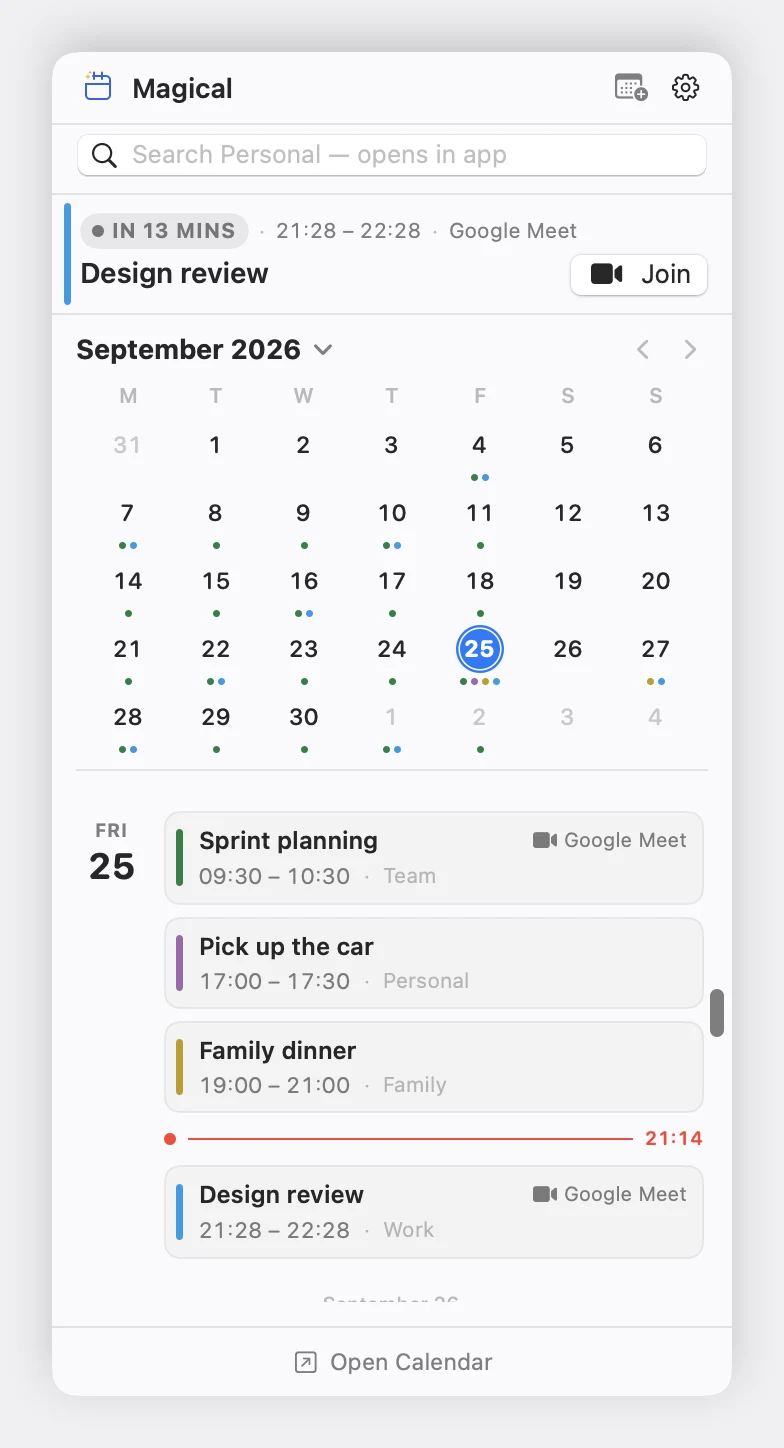
See what the rest of your day looks like, RSVP to invites, or jump straight to your next video call.

  • Countdown to your next meeting directly in the menu bar.
  • A red line marks where the day has got to.
  • Every event takes the colour of the calendar it sits on.
The Magical menu bar popover, showing a meeting under way, a month grid with a dot for each busy day, and the day's events either side of a red line marking the current time

And on the desktop too

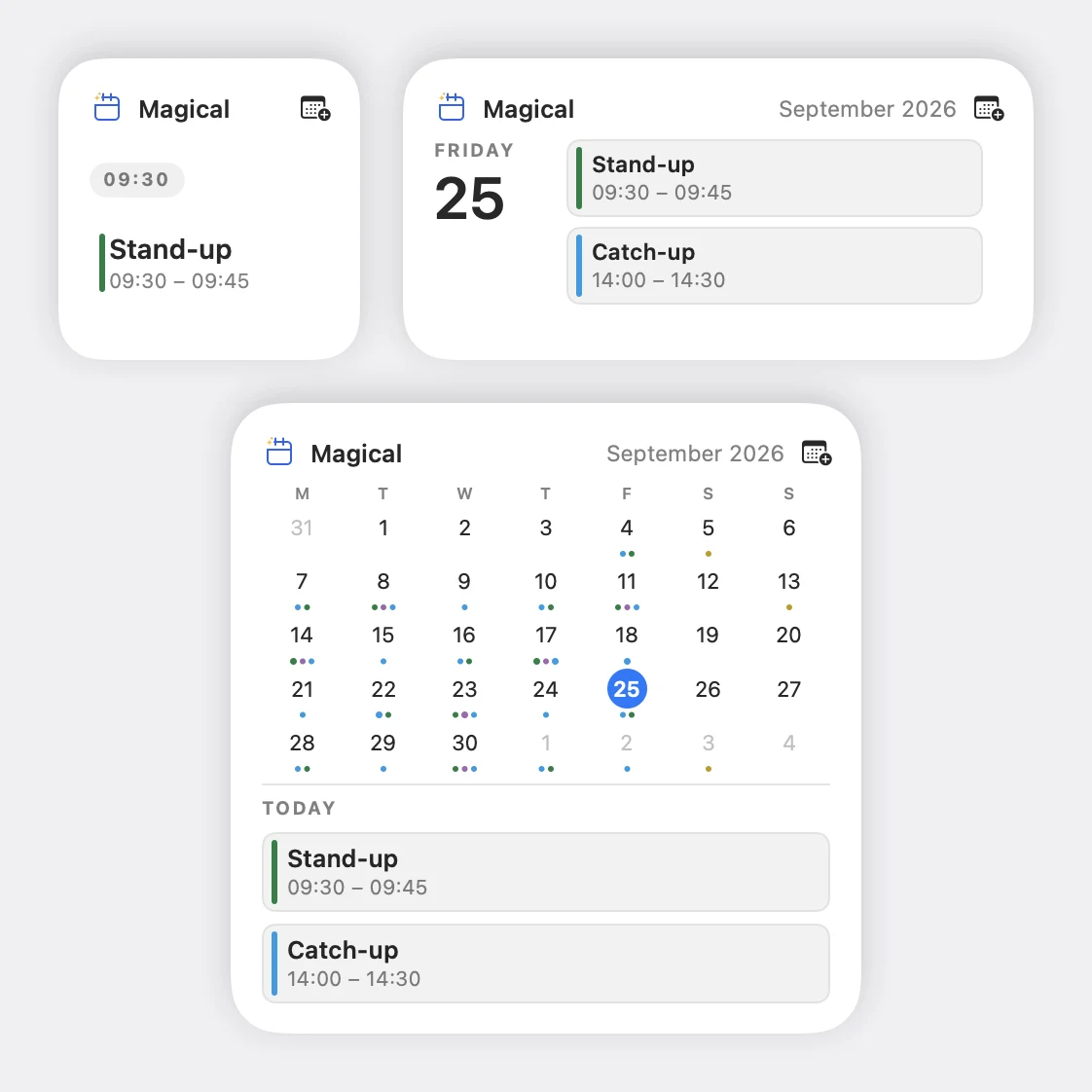
Choice of 6 different widgets of varying sizes and layouts.

  • Up next counts down to the next meeting.
  • Agenda shows your day and what's coming tomorrow.
  • Month gives you a full mini calendar
Three Magical widgets on the desktop: a small Up next counting down to a meeting with a Join button, a medium Agenda listing the day, and a large Month showing the grid above today's events

Today's date on your dock

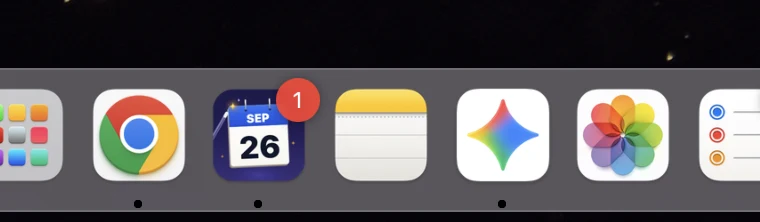
See today's date directly on the dock just like Apple calendar. The badge counts your unread invitations, so you have no excuse not to RSVP.

The Dock, with Magical displaying today's date on its calendar tile

Never late for a call

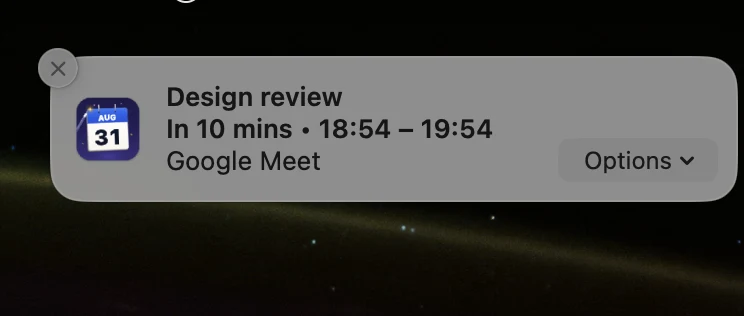
Native alerts for both events and RSVPs, with quick actions.

  • Join Google Meet, Zoom, or Teams calls directly from the banner with one click.
  • RSVP to invitations right from the banner.
A Magical meeting reminder notification banner with direct conference join options

Work stays in work hours

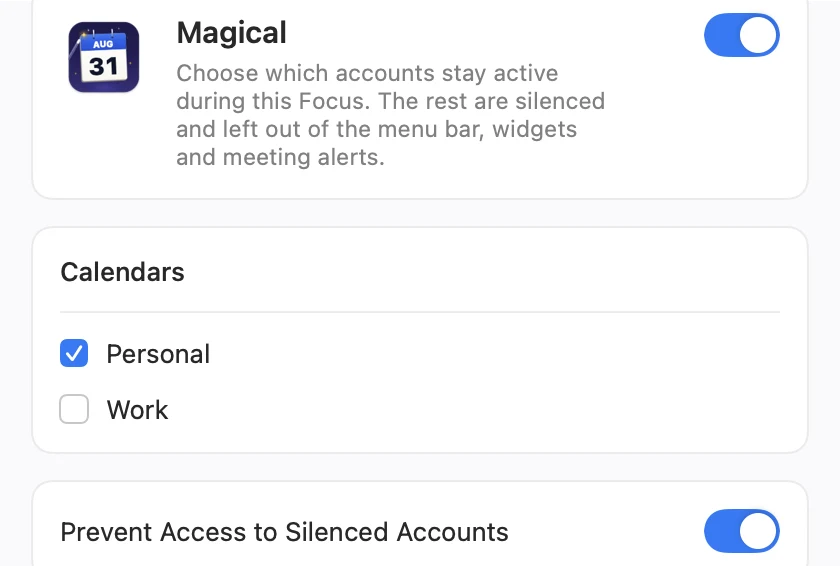
Link Magical to macOS Focus filters to decide which calendars are visible.

  • Silenced calendars are hidden everywhere including menubar and widgets.
  • Choose whether silenced accounts remain reachable in the switcher or stay completely blocked until the Focus ends.
The macOS Focus settings for Magical, with Personal selected and Work excluded

The full Google Calendar experience

Magical supports every feature Google Calendar supports in the browser, and new features arrive the day Google ships them. All you do is sign in.

No accounts to make, no servers in the middle

Sign-in
Your ordinary Google sign-in
License
Free and open source on GitHub
Accounts at once
As many as you like
Analytics & tracking
None
Our servers
None
Requires
macOS 14 or later, Apple silicon

Events, invitations, and calendar sync come straight from Google to your Mac, using the sign-in you already have, so there's nothing to set up and no permissions screen to approve. The menu bar popover, desktop widgets, and notifications run separately from the calendar view, so they stay quick even with heavy multi-calendar setups. Nothing about your schedule goes anywhere except Google.

Register your interest

Magical is coming soon. Leave your email address and we'll let you know when it's ready.

Requires macOS 14 Sonoma or later. Apple silicon only.