
Magimail
Gmail · Coming soonThe full Gmail experience: schedule send, snooze, and add-ons. Plus it looks like a proper Mac app, with all your accounts in one place.

Open source for macOS
Gmail and Google Calendar in apps that feel like they came with your Mac. Use all your accounts without switching tabs or profiles.
macOS 14 or later · Apple silicon only

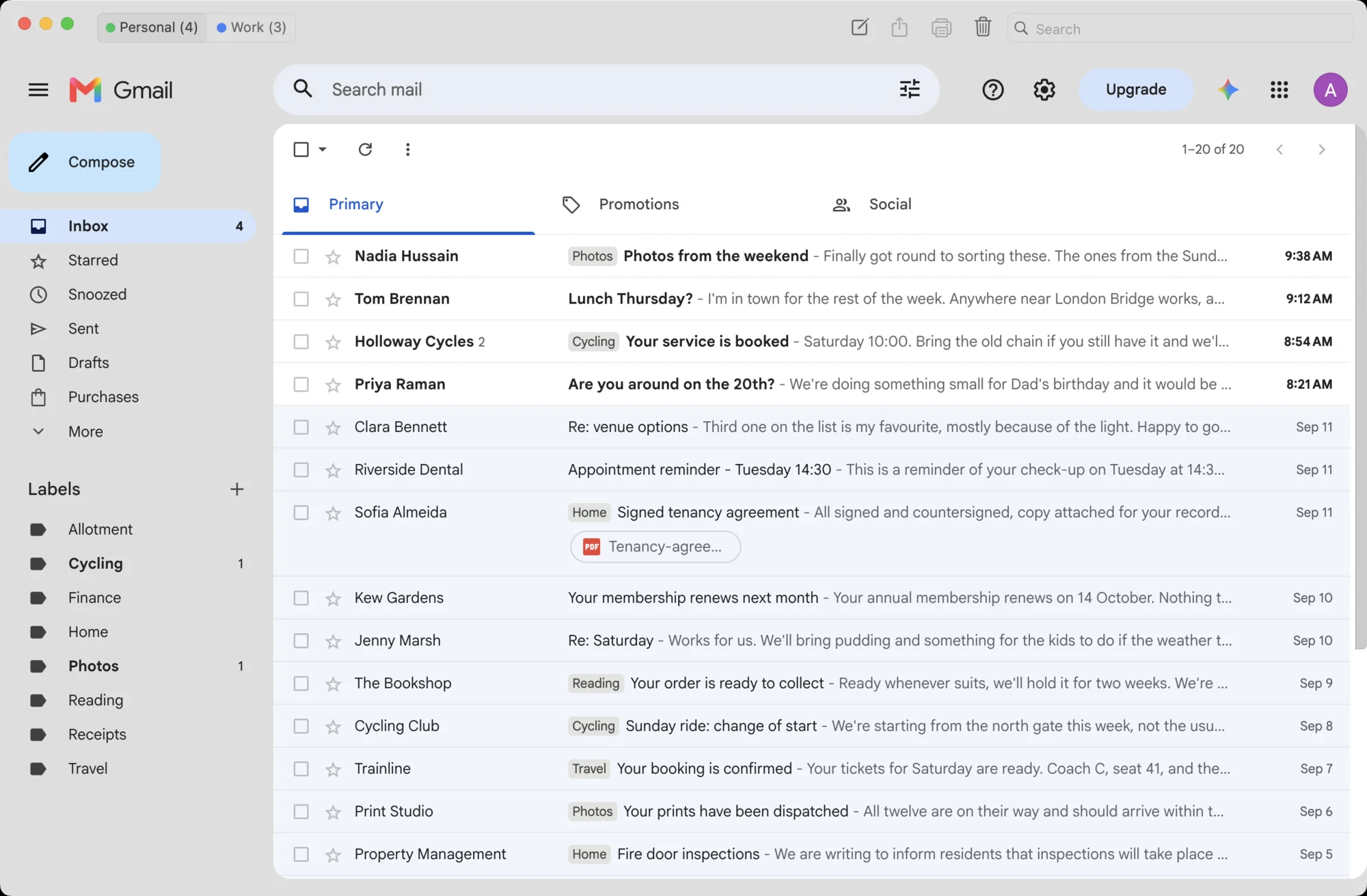
Magimail and Magical are built on the same foundations. The menu bar, the settings, the notifications and the way accounts work the same way. Use one and you know how to use the other.
The full Gmail experience: schedule send, snooze, and add-ons. Plus it looks like a proper Mac app, with all your accounts in one place.
The real Google Calendar experience, with your next meeting in the menu bar.

Both apps share the same foundation: native macOS controls, isolated account sessions, and direct communication with Google.
Every account stays sandboxed with its own isolated session and accent colour. Switch instantly without browser tabs or signing in and out.
Translucent sidebars that blend with your desktop, menu bar popovers, desktop widgets, Focus filter support, and customisable toolbars that look and feel at home on macOS.
All data, sync, and notifications move directly between your Mac and Google with no intermediate servers. Both apps are open source, so you can inspect the code yourself.
Magimail and Magical are coming soon. Leave your email address and we'll let you know when they're ready.
Requires macOS 14 Sonoma or later. Apple silicon only.